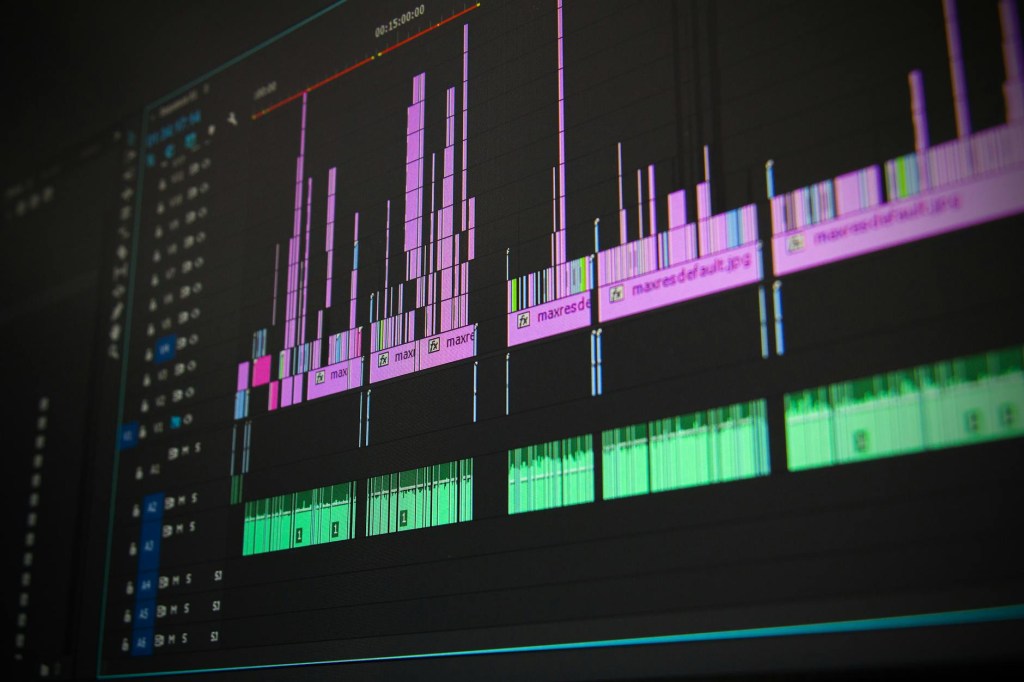
Video Editing: A Complete Guide to Creating Engaging and Professional Videos
Introduction
Video editing is one of the most valuable skills you can learn in today’s digital world. From YouTube videos and social media content to music videos, documentaries, advertisements, and short films, video editing plays an important role in how people communicate ideas and tell stories.
With the growth of platforms such as YouTube, Instagram, TikTok, and Facebook, individuals and businesses constantly look for ways to create engaging video content. Musicians use videos to promote their songs, businesses use them to attract customers, and content creators use them to build audiences and share their knowledge.
However, recording a video is only one part of the creative process. The footage must often be organized, trimmed, arranged, enhanced, and combined with music, sound effects, graphics, and other elements before it becomes a polished final product.
That is where video editing comes in.
Whether you want to become a professional video editor, improve your YouTube content, promote your music, or start a video editing business, learning the fundamentals can help you achieve your goals.
In this article, we will explore what video editing is, why it matters, which skills you need to develop, what software you can use, and how you can turn video editing into a valuable creative or professional skill.
1. What Is Video Editing?
Video editing is the process of selecting, arranging, modifying, and combining video clips and other media to create a finished production.
A video editor takes raw footage and transforms it into something that communicates a clear message or tells a compelling story.
For example, imagine that you record a ten-minute video explaining how to play guitar. The recording might contain pauses, mistakes, unnecessary repetition, background noise, and sections that are not relevant to the lesson.
Through editing, you can remove those distractions, arrange the most useful information, add close-up shots of your guitar playing, display instructional text, and include background music where appropriate.
The result is a more engaging and professional video.
Video editing can involve several different tasks, including:
- Cutting unnecessary footage.
- Arranging clips into a logical sequence.
- Adjusting brightness, contrast, and color.
- Improving audio quality and balancing sound levels.
- Adding titles, captions, and graphics.
- Incorporating music and sound effects.
- Creating transitions between scenes.
- Synchronizing video with recorded audio.
- Exporting the final project in the correct format.
Not every project requires all these techniques. A simple social media video might need only a few cuts and captions, while a professionally produced music video may involve extensive visual effects, color grading, and audio synchronization.
The goal is to choose the editing techniques that best serve the purpose of the video.
2. Why Video Editing Is Important
Video editing is important because raw footage does not always communicate a message as effectively as a carefully constructed final product.
Even an excellent recording can lose an audience if it contains unnecessary pauses, confusing sequences, poor sound, or distracting visual elements.
Editing allows creators to control the viewing experience.
For example, a documentary editor can arrange interviews and supporting footage to help viewers understand a complicated subject. A YouTube creator can remove repetitive sections to maintain a focused presentation. A business can use edited footage to explain its services in a concise and visually appealing way.
Editing also helps establish the tone of a production.
Fast cuts, energetic music, and dynamic graphics can create excitement. Longer shots, subtle transitions, and carefully chosen music can create a reflective atmosphere.
These choices influence how audiences interpret what they see and hear.
Video editing is therefore not simply about making footage look attractive. It is about communicating information, controlling pacing, and helping viewers experience a story or message as intended.
3. Choose the Right Video Editing Software
One of the first steps toward becoming a video editor is choosing software that matches your needs, equipment, and budget.
Fortunately, there are options for beginners and experienced professionals.
DaVinci Resolve
is a powerful editing program known for its video editing, color correction, visual effects, and audio post-production capabilities.
It offers a free version with extensive features, making it attractive to people who want to develop professional editing skills without immediately paying for software.
It can be particularly useful for filmmakers, musicians, and creators who want to learn more advanced techniques as they improve.
Adobe Premiere Pro
is widely used in professional video production. It provides tools for organizing footage, editing timelines, adjusting audio, adding effects, and preparing videos for different platforms.
It is a subscription-based product, so you should consider its ongoing cost before choosing it.
Premiere Pro can be useful for editors who collaborate with production teams or work in environments that already use Adobe applications.
Final Cut Pro
is a professional editing application for Mac users. It offers an interface and workflow designed for efficient editing, making it an option for people who work primarily within Apple’s ecosystem.
CapCut
is popular among creators who produce short-form videos, captions, social media clips, and promotional content.
Its accessibility makes it a practical starting point for beginners who want to learn basic editing without facing a complicated interface.
Before choosing software, consider what you want to create. You do not need the most expensive editing program to make an effective video. A good editor can create compelling work with relatively simple tools.
4. Learn the Fundamentals of Cutting and Arranging Footage
One of the most important skills in video editing is knowing what to keep and what to remove.
Beginners sometimes assume that impressive transitions, animated titles, and visual effects are the most important parts of editing. In reality, the quality of the edit often depends on decisions about timing and sequence.
Start by reviewing your footage and identifying the sections that communicate the message most clearly.
Remove mistakes, long pauses, repeated explanations, and unrelated material when they do not serve the video.
Then arrange the remaining clips into a logical order.
For an educational video, this might mean introducing the topic, explaining the main ideas, demonstrating an example, and ending with a summary.
For a music video, the sequence might follow the structure of a song, with verses, choruses, instrumental passages, and visual changes that complement the music.
Pay attention to the beginning of your video. The opening should quickly establish what the audience is watching and why it matters.
However, avoid removing every pause simply because you can. A short moment of silence can create emphasis, allow viewers to absorb information, or give an emotional scene room to breathe.
Good editing is not about making every video as fast as possible. It is about choosing the right pace for the content.
5. Understand the Importance of Video Pacing
Pacing refers to the speed at which information, images, and events unfold in a video.
Different types of videos require different pacing strategies.
A fast-paced promotional video might use brief clips, energetic music, and frequent visual changes to communicate excitement. A tutorial may require longer shots so viewers can follow each step. A dramatic short film might use silence and slower editing to create suspense.
If a video moves too slowly, viewers may lose interest. If it moves too quickly, they may struggle to understand the information.
The challenge is finding the right balance.
When editing, consider the audience and the purpose of the video. Ask yourself whether each scene provides useful information, creates an emotional response, or moves the story forward.
You can also watch your completed video without looking at the editing timeline. Pay attention to moments when your interest decreases or when the sequence feels confusing.
These moments may reveal opportunities to improve the pacing.
Over time, studying pacing will help you make more intentional editing decisions.
6. Improve the Audio Quality of Your Videos
Audio is one of the most overlooked aspects of video editing, especially among beginners who focus primarily on visual effects.
However, poor sound can make an otherwise attractive video difficult to watch.
Imagine a tutorial with excellent lighting and sharp images but a voice that is too quiet to understand. Viewers may leave because the audio makes the content frustrating.
Start by making dialogue clear and consistent. Reduce distracting background noise when possible, adjust volume levels, and avoid sudden changes in loudness.
If your video includes background music, ensure that it does not overpower the spoken content.
Music should support the video rather than compete with the message.
Sound effects can also enhance a production when used thoughtfully. A subtle sound effect can emphasize an action or help establish an environment. Excessive effects, however, can distract viewers and make the video feel unprofessional.
For musicians, audio editing is particularly important when creating music videos, live performance recordings, and promotional clips.
Synchronizing the footage with the song’s rhythm, arranging visual changes around important musical moments, and maintaining consistent audio quality can greatly improve the final result.
Always check your finished video with headphones and speakers when possible. This can help you identify problems that you might miss while editing.
7. Learn Basic Color Correction and Color Grading
Color correction and color grading can make a significant difference in the appearance of a video.
Although the terms are related, they describe different processes.
Color correction focuses on making footage look natural and consistent. This may involve adjusting exposure, white balance, contrast, and saturation.
For example, footage recorded under different lighting conditions may have inconsistent colors. Color correction can help bring the shots closer together.
Color grading involves shaping the visual style of the footage. An editor might create a warm, nostalgic appearance, a cool and dramatic atmosphere, or a bright and energetic look.
These decisions can support the mood of the story.
However, beginners should avoid assuming that every video needs a dramatic color treatment.
Start by ensuring that the footage is properly exposed and that skin tones and other important colors look reasonable. Then experiment with subtle adjustments that support the intended style.
Consistency is often more important than making every shot look visually dramatic.
8. Use Transitions, Titles, and Effects Carefully
Transitions and visual effects can help videos look polished, but they should serve a clear purpose.
A simple cut is often the most effective way to move between two shots. A dissolve may help communicate the passage of time, while a more stylized transition might fit a fast-paced music video.
Using too many transitions can make a video feel distracting or amateurish.
The same principle applies to titles and graphics.
Titles can introduce a topic, identify a speaker, or highlight important information. Captions can improve accessibility and help viewers understand dialogue when they cannot listen to audio.
Motion graphics can make complicated ideas easier to explain, particularly in educational videos and business presentations.
When adding text, choose fonts that are easy to read and ensure that the text remains visible against the background.
Also consider where the video will be displayed. Captions and important graphics should not be hidden behind platform interfaces or cropped out when the video is viewed on a phone.
The best effects are often those that improve the viewer’s experience without drawing unnecessary attention to the editing itself.
9. Video Editing for Musicians
Video editing can be particularly valuable for musicians who want to promote their music online.
In today’s digital environment, musicians often need more than an audio recording to introduce their songs to potential listeners. Visual content can help communicate an artist’s identity, showcase performances, and give audiences additional reasons to engage with their work.
For example, a musician can create:
- Music videos for original songs.
- Short clips featuring memorable parts of a track.
- Lyric videos displaying song lyrics.
- Acoustic performance videos.
- Behind-the-scenes recording footage.
- Tutorials demonstrating songwriting or instrumental techniques.
- Promotional videos for upcoming releases.
- Short documentaries about the creative process.
These videos can be shared on YouTube, Instagram, TikTok, Facebook, and an artist’s website.
A musician does not always need an expensive production budget. A well-recorded performance, thoughtful camera angles, and careful editing can create an effective promotional video.
Editing can also help musicians produce multiple pieces of content from one recording session.
For example, a single acoustic performance could become a full-length YouTube video, several short social media clips, and a behind-the-scenes video.
This approach helps artists make better use of their time and recording resources.
Musicians should also ensure that they have the necessary rights and permissions for any footage, music, photographs, or other material they incorporate into their videos.
10. Video Editing Can Become a Business
Video editing is not only a creative skill. It can also become a service that individuals and businesses pay for.
Many organizations need video content but do not have the time, equipment, or experience to edit it themselves.
Potential clients include YouTubers, musicians, churches, small businesses, coaches, podcasters, real estate professionals, and marketing agencies.
Some clients need ongoing editing support, while others need help with a single project.
For example, a YouTube creator might hire an editor to turn raw recordings into weekly videos. A musician might need a lyric video for a new release. A church might need a highlight video from an event. A small business might want short promotional clips for social media.
The key is to identify a specific audience and understand its needs.
Rather than advertising yourself only as someone who edits videos, explain what you help clients accomplish.
You might specialize in editing music performances, creating short-form promotional videos, producing YouTube content, or transforming long recordings into concise clips.
A clear service offering makes it easier for potential customers to understand whether you are the right person for their project.
11. Build a Portfolio That Demonstrates Your Skills
Before potential clients hire you, they often want evidence that you can deliver quality work.
A portfolio provides that evidence.
If you are new to video editing, you can create sample projects using footage you recorded yourself, properly licensed stock footage, or material you have permission to use.
Consider creating three to five strong examples that demonstrate different skills.
For example, you could produce a short promotional video, an edited talking-head video, a music performance clip, and a short social media video.
These samples do not have to be made for paying clients. They simply need to demonstrate your abilities.
When building your portfolio, focus on the quality of the finished videos rather than the number of projects you display.
Make sure each sample has a clear purpose, clean cuts, understandable audio, appropriate pacing, and consistent visuals.
You can host your work on a professional website, a dedicated portfolio page, or a video platform.
If you want to attract a particular type of customer, prioritize examples relevant to that audience.
For instance, an editor seeking musician clients should demonstrate the ability to synchronize footage with music, create engaging performance videos, and produce promotional clips.
A focused portfolio can make your services easier to evaluate and help establish trust.
12. How to Find Video Editing Clients
Finding clients requires more than learning editing software. You also need to communicate the value of your services and make it easy for people to contact you.
Start with people and organizations that already produce video content.
You could reach out to independent musicians, local businesses, churches, content creators, and professionals who publish videos regularly.
Look for potential clients whose current content could benefit from clearer editing, improved audio, better pacing, or more consistent presentation.
When contacting someone, be specific and respectful. Explain what you offer, show a relevant sample, and make it easy for them to ask questions.
You can also use your website or blog to attract customers.
If you write about music, for example, you could publish an article about promoting a new song through video content and include a link to your video editing services.
This approach connects your service to a subject your readers already care about.
You might also create a dedicated services page that explains your process, the types of videos you edit, the information you need from clients, and how they can request a quote.
Social media can support this strategy by allowing you to share before-and-after examples, editing tips, and finished projects.
Remember that not every person who sees your work will become a customer. Consistent outreach, a useful portfolio, clear communication, and reliable delivery can help you develop client relationships over time.
13. Set Your Prices and Manage Client Expectations
Pricing your video editing services can be challenging when you are starting out.
The appropriate price depends on factors such as the length and complexity of the video, the condition of the source footage, the amount of graphics required, turnaround time, and the number of revisions included.
A short social media clip may require considerably less work than a ten-minute video involving multiple cameras, detailed audio cleanup, color grading, and motion graphics.
You can charge by the project, by the hour, or through a recurring monthly package.
Project-based pricing can be helpful when the deliverables are clearly defined. Hourly pricing may make sense for work where the amount of editing is difficult to predict. Monthly packages can provide more predictable income when clients need ongoing content.
Before beginning a project, clarify the scope of the work.
Discuss the expected video length, delivery format, deadline, revision policy, payment arrangements, and whether the client will supply all necessary footage and assets.
Avoid promising unlimited revisions or extremely fast turnaround times without considering the workload involved.
It is also important to calculate how much time a project will take. A fee that appears attractive may become unprofitable if the editing requires many more hours than expected.
As your skills improve, you build a stronger portfolio, and demand for your work develops, you can reassess your pricing.
The goal is to charge fairly while delivering a result that meets the client’s needs.
14. Use AI and Modern Tools to Improve Your Workflow
Artificial intelligence and automated editing tools can help video editors work more efficiently.
Depending on the software, these tools may assist with generating captions, transcribing dialogue, removing background noise, identifying scenes, resizing footage, or creating rough edits.
These features can reduce time spent on repetitive tasks.
For example, automatic transcription can help you locate a particular sentence in a long interview. Caption-generation tools can provide a starting point for subtitles. Automated reframing can help adapt some horizontal footage for vertical platforms.
However, automated tools do not eliminate the need for editorial judgment.
Captions can contain errors. Automatic edits can remove important context. Generated visuals may not match the client’s intentions. Audio processing can sometimes introduce unwanted artifacts.
You should review automated results carefully and correct mistakes before delivering the final video.
AI is most useful when it supports your creative process rather than replacing thoughtful decisions about storytelling, pacing, sound, and visual communication.
Learning to combine efficient tools with strong editing fundamentals can help you produce better work without wasting unnecessary time.
15. Practice Consistently to Become a Better Editor
Like any creative skill, video editing improves through practice.
You do not have to wait for a paying client to begin developing your abilities.
Record simple footage with a camera or smartphone and create short projects. Edit an interview, a musical performance, a travel sequence, or a tutorial. Experiment with different pacing choices and compare the results.
You can also study videos you admire.
Pay attention to how they introduce the subject, transition between scenes, use music, organize information, and maintain audience interest.
Try to understand why particular editing decisions work rather than simply copying visual effects.
Set specific goals for each practice project.
One video might focus on clean cuts. Another might emphasize audio quality. A third might help you learn color correction or create more effective captions.
Working on one skill at a time can make the learning process more manageable.
Save earlier projects so you can compare them with your later work. Reviewing your progress can reveal improvements that are difficult to notice when you are constantly focused on the next task.
Most importantly, finish projects. Completing videos teaches you how to manage the entire process, from organizing source files to exporting and reviewing the final product.
Conclusion
Video editing is a valuable skill that combines creativity, technical knowledge, storytelling, and communication.
It helps transform raw footage into meaningful content that can educate, entertain, inspire, and promote ideas. Whether you want to create better YouTube videos, promote your music, produce social media content, or start a freelance business, learning video editing can open up a variety of opportunities.
You can begin with accessible software, practice with simple projects, and gradually develop more advanced skills. As you improve, you can build a portfolio, identify a target audience, and explore opportunities to offer your services to paying clients.
Remember that professional-quality editing does not depend entirely on expensive equipment or complicated effects. Strong storytelling, clear audio, thoughtful pacing, and attention to detail are often more important.
If you want to become a successful video editor, start creating projects and learn from each one. Develop your technical abilities, study the work of experienced editors, and build a portfolio that demonstrates what you can do.
With patience, consistent practice, and a willingness to improve, video editing can become much more than a hobby. It can be a powerful creative outlet, a useful business skill, and a way to help other people communicate their ideas to the world.


Leave a Reply